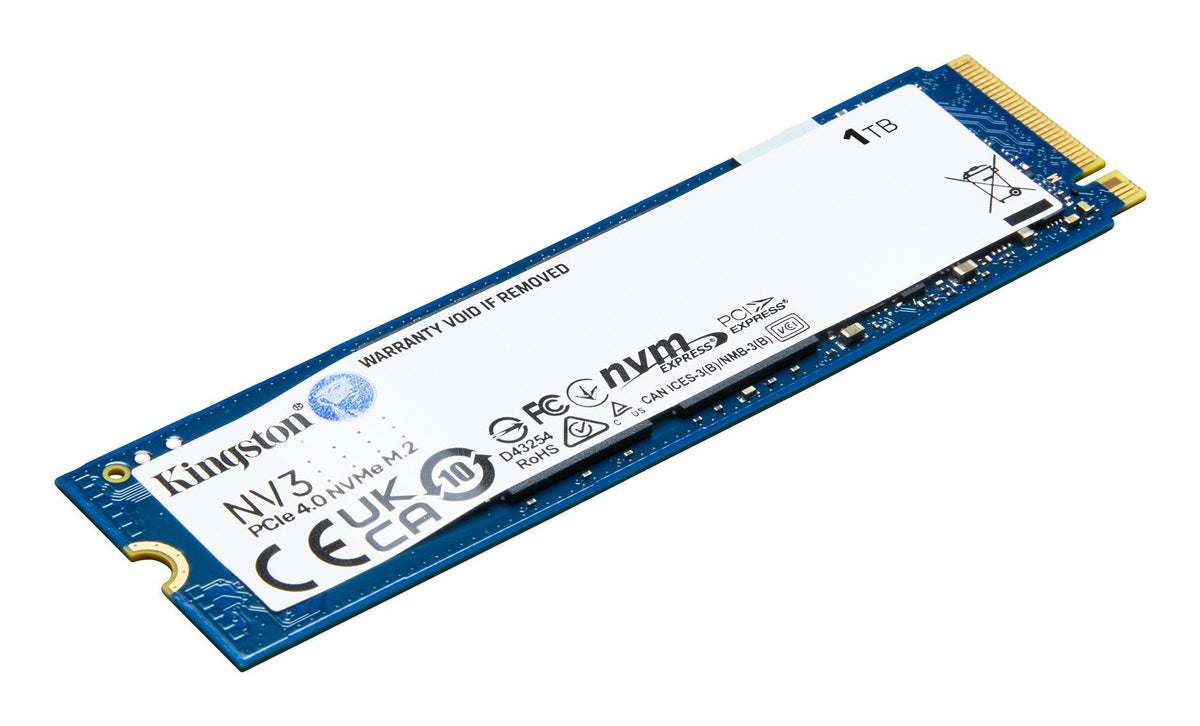
One terabyte costs roughly the same in three completely different products. An internal NVMe drive, an internal SATA drive and a portable USB drive all sit between 180 € and 210 € in our catalogue. They are not interchangeable, and one of them is clearly the worst value if you read the numbers rather than the packaging.
This page is about choosing the right one, and about a pricing anomaly worth knowing before you spend.
What you are actually paying for
At the same capacity, the price difference between these three is not about storage. It is about:
- The interface — PCIe directly on the board, SATA through a controller, or USB through a bridge chip.
- The enclosure — a portable drive includes a case, a bridge board and a cable.
- Compatibility — a 2.5-inch SATA drive fits machines that have no M.2 slot at all.
Once you separate those, the anomaly becomes obvious.
The three we stock
| Model | Price | Class | What you should know | Stock |
|---|---|---|---|---|
| Kingston Drive SSD 1TB NV3 M.2 2280 PCIE 4.0 NVMe SNV3S/1000G | 179,99 € | 1 TB · NVMe M.2 PCIe 4.0 | Fastest of the three and the cheapest. Needs an M.2 slot. | 25 in stock |
| Crucial Drive SSD 2,5 1TB BX500 SATA III 3D 7MM 540MB/S, 6 Gbit/S - Tray | 209,99 € | 1 TB · SATA 2.5-inch | For machines with no M.2 slot. Two cables and four screws. | 25 in stock |
| SanDisk Drive External SSD Portable 1TB USB 3.2 | 205,99 € | 1 TB · portable USB 3.2 | The only one that leaves the desk. Speed capped by the USB interface. | 12 in stock |

Kingston Drive SSD 1TB NV3 M.2 2280 PCIE 4.0 NVMe SNV3S/1000G
179,99 €
1 TB · NVMe M.2 PCIe 4.0 | 25 in stock | 2-year EU warranty | 14-day returns

Crucial Drive SSD 2,5 1TB BX500 SATA III 3D 7MM 540MB/S, 6 Gbit/S - Tray
209,99 €
1 TB · SATA 2.5-inch | 25 in stock | 2-year EU warranty | 14-day returns

SanDisk Drive External SSD Portable 1TB USB 3.2
205,99 €
1 TB · portable USB 3.2 | 12 in stock | 2-year EU warranty | 14-day returns
The surprise: the fastest one is the cheapest
The Kingston NV3 is a 1 TB NVMe drive on PCIe 4.0, and it is the least expensive of the three. It is also by a wide margin the fastest.
There is no trick. NVMe drives have become the volume product, so they are cheap; portable drives are a smaller market with an enclosure and a cable in the box, so they carry a premium.
If you have a free M.2 slot and no need to carry the drive around, this is the purchase. Paying more for a portable drive to use it permanently plugged into the same computer is paying extra for slower.
Why the SATA drive still exists
The Crucial BX500 is a 2.5-inch SATA drive at a higher price than the NVMe. That looks like bad value until you remember the reason it exists: some machines have no M.2 slot.
Older laptops, desktops with a single 2.5-inch bay, games consoles, NAS units and external enclosures all take 2.5-inch SATA. For those, there is no alternative and the price comparison is irrelevant.
It is also the simplest upgrade in computing: two cables, four screws, done.
What the portable drive is actually for
The SanDisk Portable is the only one of the three that leaves the desk. That is its entire justification, and it is a good one: moving a project between two machines, carrying footage home from a shoot, keeping an off-site copy of something that matters.
Two limits worth knowing:
- Speed is capped by USB, not by the drive. A portable SSD rarely reaches the throughput of the same silicon on a PCIe slot.
- Not every USB bridge passes TRIM through. Over years of heavy use, a portable drive can slow down in a way an internal one does not. It is not a reason to avoid them; it is a reason not to use one as the system disk.
The check before you buy
- Does the machine have a free M.2 slot? If yes, the NVMe is the answer unless you need portability.
- Does it have a 2.5-inch bay instead? Then the SATA drive, and nothing else fits.
- Will the drive move? Only then is the portable worth its premium.
- Is this a backup? A portable drive that lives next to the computer is not a backup. It becomes one when it lives somewhere else.
Moving a terabyte without losing it
Buying the drive is the easy part. Getting a terabyte from A to B without a partial copy is where people lose data, and the rules are simple.
- Copy, do not move. Copying leaves the original untouched until you have checked the destination. Moving deletes as it goes, and a failed move is unrecoverable in exactly the folders you care about.
- Do not put everything in one enormous operation if it can be split by folder. A copy that fails at 90 % after three hours tells you nothing about which files made it.
- Check the totals. File count and folder size on both sides. It is a crude check and it catches the vast majority of failures.
- Format matters if the drive travels. exFAT reads and writes on Windows, macOS and Linux; NTFS is Windows-first; APFS is macOS-only. A drive you will plug into someone else's laptop should be exFAT.
- Expect less than 1 TB. Decimal capacity on the box, binary accounting in the operating system, plus formatting overhead: a "1 TB" drive shows roughly 930 GB usable. This is normal and not a fault.
Finally, a backup rule worth repeating: two copies in the same room are one copy. The portable drive only becomes a backup when it lives somewhere else.
What you will not find on this page
No sequential read figures presented as if they described real-world speed. Manufacturers quote the best case, on an empty drive, with a queue of large sequential requests. Copying photographs and opening applications behave nothing like that.
We also do not stock NAS-grade drives or enterprise SSDs. If you are building a NAS with continuous write loads, a consumer drive is the wrong component and we would rather say so.
Delivery and returns
Delivery across the EU takes 3 to 7 business days, with shipping calculated at checkout by destination. Returns within 14 days. Every drive carries the 2-year EU legal warranty.
Frequently asked questions
Can I use an internal NVMe drive as an external one?
Only with an NVMe enclosure, which we do not stock in this range. Buying the portable is simpler unless you already own one.
Is SATA too slow in 2026?
For a system drive in an older machine, no. It is roughly ten times faster than the mechanical drive it replaces, which is the comparison that matters.
Can I boot Windows from a portable SSD?
Technically sometimes, practically no. USB boot support varies by machine and performance is inconsistent.
How long do these drives last?
Longer than the computer they go into, in normal use. Wear is driven by how much you write, not by age.
Do I need a heatsink?
For a PCIe 4.0 drive under sustained large writes, it helps. For normal desktop use, the motherboard's plate is enough.
Can I return it if I do not like it?
Yes. You have 14 days from delivery to return it in the condition it arrived with its accessories. That is the EU distance-selling period, not the 30 days some retailers advertise.
How long does delivery take and what does it cost?
Between 3 and 7 business days from dispatch. The cost depends on weight and destination and is calculated at checkout before you pay; there is no free shipping.
What warranty do they carry?
2 years against manufacturing defects, handled by us rather than by the manufacturer, so you do not deal with their service centre.
Is the stock shown real?
Yes. The unit counts in each block come from the catalogue inventory at the time of writing, and the product page shows live stock.
Related guides
- Upgrading an old laptop's SSD: SATA or NVMe? — the compatibility decision first.
- Components — storage and internal hardware.
- All products — the full catalogue.
Where we ship from, and on what terms
Orders leave our EU warehouse and arrive in 3 to 7 business days. Shipping is calculated at checkout by weight and destination — we do not offer free shipping, and the cost is shown before you pay.
You have 14 days from delivery to return an item under EU distance-selling rules, provided it comes back in the condition it arrived with its accessories. Every item carries a 2-year warranty against manufacturing defects, handled by us rather than by the manufacturer.
What we do not sell, and why
This article reviews reference models from the market because readers compare against them. Not all of them are in our catalogue, and the prices shown next to them are market references, not an offer. What we do sell is the selection above: real units, with the price you see and a two-year warranty.
We do not invent specifications: where the manufacturer does not publish a figure in the product data, this page does not fill the gap, and we do not claim compatibilities or output figures that the product itself does not declare. We also do not include installation or accessories that are not in the box.
This week's verified stock
Products in stock, at the price shown. 14-day returns, 2-year warranty, delivery in 3-7 business days within the EU and 1-3 in Spain and Portugal.